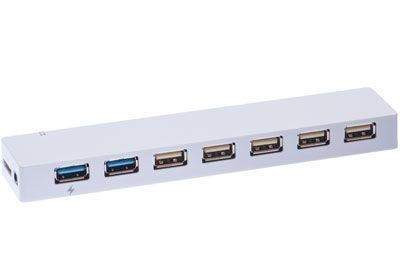
Q: What’s the difference between the different USB versions?
- USB 1.1
- Released in 1998
- Specifies max data rates of 12 Mbit/s (Full Speed)
- Mostly used on devices such as keyboards mice joysticks printers scanners.
- Still used by some devices that don't need faster data transfer rates.
- USB 2.0
- Released in 2000
- Specifies max data rates of 480 Mbit/s (Hi-Speed)
- Compatible with USB 1.1 but some hardware designed for USB 2.0 may not work with USB 1.1 host controllers.
- USB 3.0
- Released in 2008
- Specifies max data rates of 5 Gbit/s (SuperSpeed)
- A January 2013 press release from the USB group reveals plans to update USB 3.0 to 10 Gbit/s to put it on par with Thunderbolt by mid-2013.
Q: What is 'hot-swapping?'
A: One of the best features of USB is that it is hot swappable. This means you can walk up to a computer plug in a new device using USB and use it right away. Most connectors on computers can only be plugged in when the computer is off. This prevents electrical shorts or glitches that can cause damage. USB doesn't have this limitation.
Q: What is 'plug and play?'
A: Plug and play refers to the ability to use a new peripheral without going through an elaborate configuration process. USB is well suited for plug and play operation. No jumpers need be set or ID's selected. There are no interrupt conflicts or other messy configuration issues involved in using USB devices.
Q: What’s the difference between powered and non-powered hubs.
A: One feature of USB is that the cables distribute power as well as data. This means that devices that use modest amounts of power don't need separate power supplies.
Still the amount of power distributed over USB is limited. An unpowered (or self-powered) hub uses some of the power coming to it for its own operation and passes the remainder along to devices plugged into it. This is OK for small hubs with low power devices plugged into it. A good example is this is a keyboard with a powered hub built-in. This has plenty of power for plugging in a mouse or track pad.
Powered hubs have their own power supplies and can supply full power to all the devices that can physically plugged into them. Of course you do have an extra wire and power block plugged into the wall.
Some hubs can operate either way. If they don't have their power supply plugged-in they operate as an unpowered hub - with a limited ability to power additional USB devices. When you plug-in their power supplied they function as powered hubs.
Q: How do I daisy chain my USB devices?
A: If you have a single USB port on your computer and need to use three USB devices you need to first plug a hub into the computer. The hub will then have four or seven (or however many) ports available for you to plug in additional devices.
Hubs can be daisy chained to provide even more USB ports.