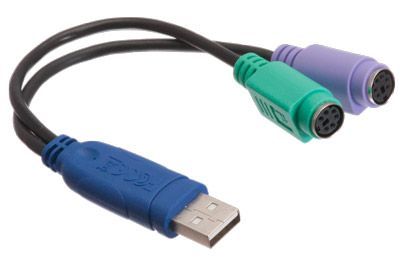
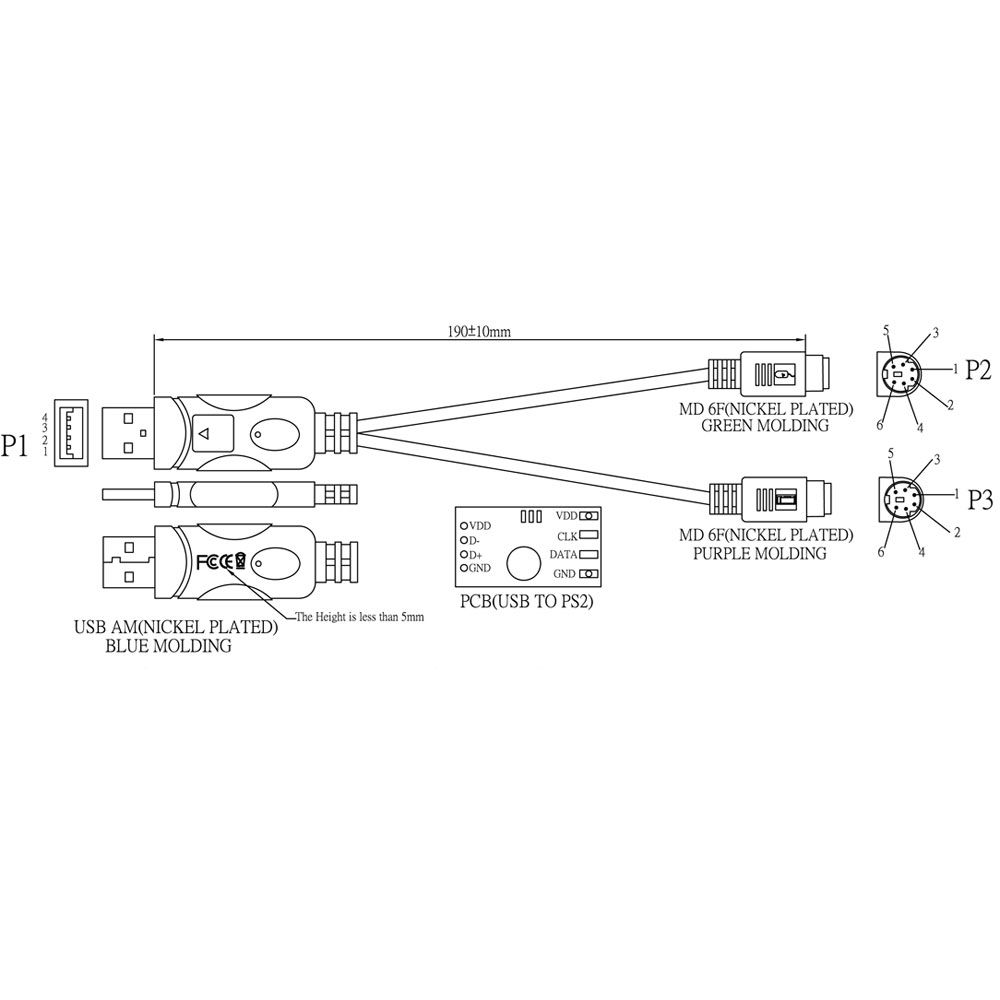
Intelligent USB Type A Male to Dual PS/2 Female Adapter Cable - 1 FT
CLOSEOUT PRICING! WHILE SUPPLIES LAST!
1 FT | Color Coded | Computer Chip | Change Connector Type
| Quantity Discount Pricing |
|
1-4
|
5-9
|
10-49
|
50-99
|
100+
|
|
$17.59
|
$15.45
|
$14.49
|
$13.54
|
$12.60
|
Quantity Available: 526
Convert PS/2 devices, keyboard and mouse, to USB.
Features:
- 1 ft. long
- Two female PS/2 connectors
- One male USB connector
- Color coded for easy identification
- Contains a computer chip to convert your signal accurately
Q: What’s the difference between the different USB versions?
- USB 1.1
- Released in 1998
- Specifies max data rates of 12 Mbit/s (Full Speed)
- Mostly used on devices such as keyboards mice joysticks printers scanners.
- Still used by some devices that don't need faster data transfer rates.
- USB 2.0
- Released in 2000
- Specifies max data rates of 480 Mbit/s (Hi-Speed)
- Compatible with USB 1.1 but some hardware designed for USB 2.0 may not work with USB 1.1 host controllers.
- USB 3.0
- Released in 2008
- Specifies max data rates of 5 Gbit/s (SuperSpeed)
- A January 2013 press release from the USB group reveals plans to update USB 3.0 to 10 Gbit/s to put it on par with Thunderbolt by mid-2013.
Q: What if I need to extend my current USB cable past the 16 foot distance limit?
A: Because passive USB cables have a distance limitation you would need an Active Extension Cable to help boost the signal coming from the source.
Q: I'm unsure what USB adapter or connector I need can you help?
A: Please click on the resource tab to see the USB connector graph. This should help identify the correct cable.
USB Connector Guide
|
Connector Type
|
Picture
|
Common Use
|
USB 2.0 A Male
|
|
Commonly plugged into the USB port on a computer
|
USB 2.0 A Female
|
|
Commonly used for extending the length of an existing USB cable. USB A Male is able to plug into this connector
|
USB 2.0 B Male
|
|
Commonly used on a printer external hard drive and other USB Devices
|
USB 2.0 Micro Male |
|
Commonly used on new smartphones and other USB devices
|
USB 2.0 Mini Male
|
|
Commonly used on cell phones digital cameras and GPS devices
|
USB 2.0 Mini Female
|
|
Commonly used to extend the length of an existing USB mini cable
|
USB 3.0 A Male
|
|
Commonly used on USB 3.0 devices
|
USB 3.0 B Male
|
|
Commonly used on USB 3.0 printers and other USB devices
|
USB 3.0 Micro
|
|
Commonly used on USB 3.0 hubs and other devices |